The main difference
Aternos is a free host: your server runs on Aternos’s computers, and you start it from their website.
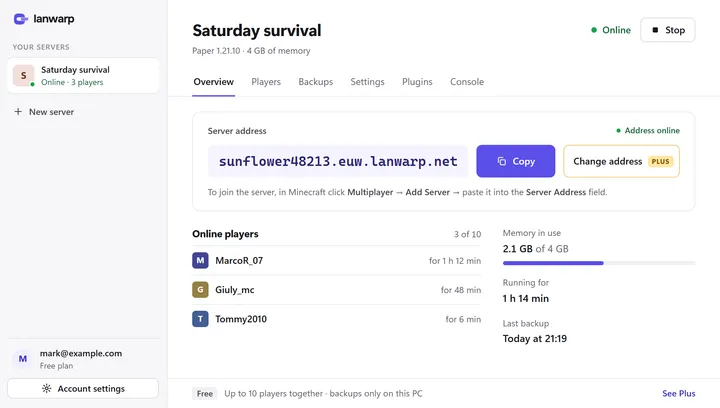
LanWarp is an app for Windows: your server runs on your PC, and LanWarp gives it an address players can join from anywhere, with no port forwarding.
Side by side
| Aternos | LanWarp | |
|---|---|---|
| Where the server runs | On Aternos’s computers | On your PC |
| Starting the server | From the website. When their servers are full, you wait in a queue | From the app, without a queue |
| When nobody is playing | The server stops after a countdown | The server keeps running until you stop it |
| When your PC is off | The server can still run | The server is offline |
| Performance | Shared computers | Your PC’s processor and memory |
| Plugins and mods | Yes | Plugins in one click on every plan. Fabric and NeoForge modpacks on Plus and Pro |
| Bedrock Edition | Yes | Not yet |
| Price | Free | Free plan with up to 10 players. Plus and Pro are paid |
When Aternos is the better choice
- Your PC is old or has little memory.
- You want the server online while your PC is off.
- You play on Bedrock Edition.
- You host from a Mac or a Linux PC. LanWarp is for Windows 10 and 11 today.
When LanWarp is the better choice
- You don’t want to wait in a queue to start the server.
- You want the server to stay on while nobody is playing, so players can join any time your PC is on.
- You want all of your PC’s memory and processor for the server.
- You want the world on your own PC, with a backup every time the server stops.
- You want a whitelist from the start, plugins in one click and a Discord bot that shows the server status live.
How to start with LanWarp
Download LanWarp, sign in and create a Paper or Vanilla server: the app downloads Java and the server files and gives the server an address. Players add the address in Multiplayer, like any other server. The steps are in host a Minecraft server without port forwarding.